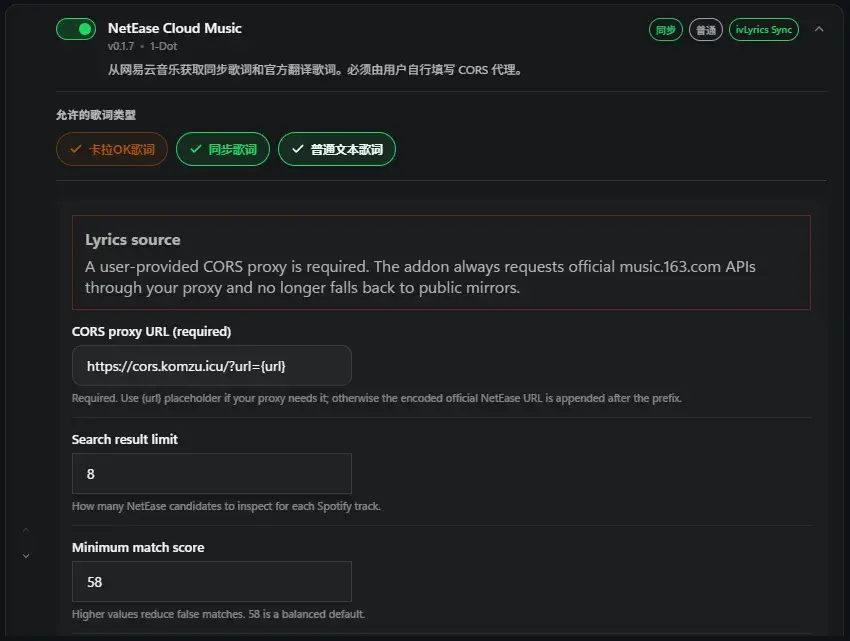
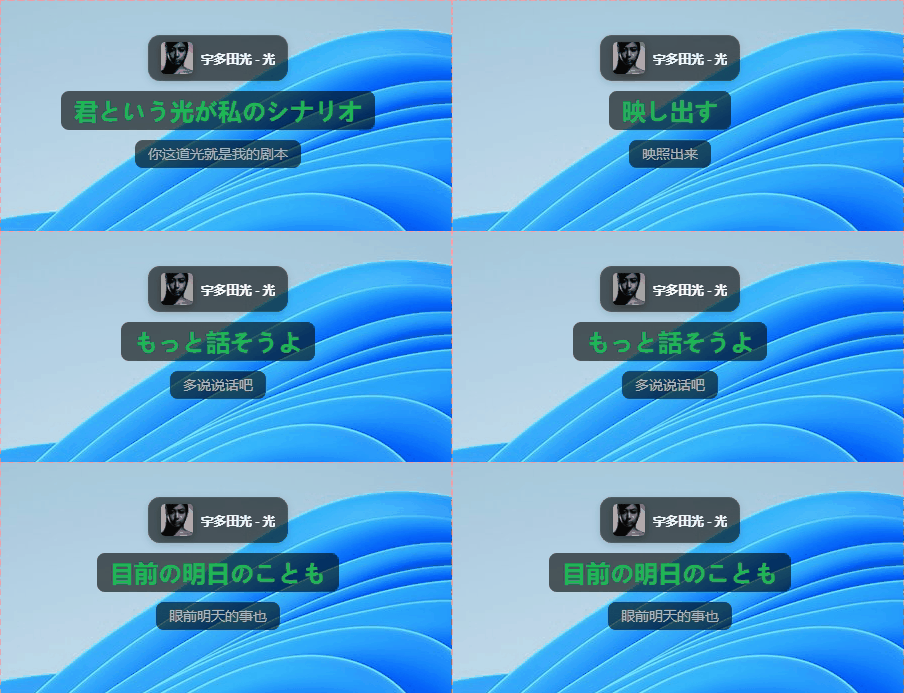
1
2
3
4
5
6
7
8
9
10
11
12
13
14
15
16
17
18
19
20
21
22
23
24
25
26
27
28
29
30
31
32
33
34
35
36
37
38
39
40
41
42
43
44
45
46
47
48
49
50
51
52
53
54
55
56
57
58
59
60
61
62
63
64
65
66
67
68
69
70
71
72
73
74
75
76
77
78
79
80
81
82
83
84
85
86
87
88
89
90
91
92
93
94
95
96
97
98
99
100
101
102
103
104
105
106
107
108
109
110
111
112
113
114
115
116
117
118
119
120
121
122
123
124
125
126
127
128
129
130
131
132
133
134
135
136
137
138
139
140
141
142
143
144
145
146
147
148
149
150
151
152
153
154
155
156
157
158
159
160
161
162
163
164
165
166
167
168
169
170
171
172
173
174
175
176
177
178
179
180
181
182
183
184
185
186
187
188
189
190
191
192
193
194
195
196
197
198
199
200
201
202
203
204
205
206
207
208
209
210
211
| /**
* NetEase Music CORS proxy for Alibaba Cloud ESA Edge Functions.
*
* Add-on configuration:
* https://YOUR_DOMAIN/?url={url}
*
* Security model:
* - HTTPS only
* - music.163.com only
* - /api/* only
* - GET, HEAD and OPTIONS only
* - Never forwards the caller's cookies or authorization headers
*/
const ALLOWED_HOSTS = new Set(["music.163.com"]);
const ALLOWED_PATH_PREFIXES = ["/api/"];
const MAX_TARGET_URL_LENGTH = 4096;
function corsHeaders() {
return {
"Access-Control-Allow-Origin": "*",
"Access-Control-Allow-Methods": "GET, HEAD, OPTIONS",
"Access-Control-Allow-Headers":
"Accept, Accept-Language, Content-Type, Origin, X-Requested-With",
"Access-Control-Expose-Headers":
"Content-Type, Content-Length, Date, ETag, Last-Modified",
"Access-Control-Max-Age": "86400",
"X-Content-Type-Options": "nosniff",
};
}
function jsonResponse(data, status = 200) {
const headers = new Headers(corsHeaders());
headers.set("Content-Type", "application/json; charset=utf-8");
headers.set("Cache-Control", "no-store");
return new Response(JSON.stringify(data), {
status,
headers,
});
}
function parseTarget(requestUrl) {
const proxyUrl = new URL(requestUrl);
let rawTarget = proxyUrl.searchParams.get("url");
if (!rawTarget) {
return { error: "Missing query parameter: url", status: 400 };
}
rawTarget = rawTarget.trim();
// URLSearchParams normally decodes the value once. This extra pass also
// accepts clients that encode the target URL twice.
if (!/^https?:\/\//i.test(rawTarget)) {
try {
rawTarget = decodeURIComponent(rawTarget);
} catch (_) {
return { error: "Invalid URL encoding", status: 400 };
}
}
if (rawTarget.length > MAX_TARGET_URL_LENGTH) {
return { error: "Target URL is too long", status: 414 };
}
let target;
try {
target = new URL(rawTarget);
} catch (_) {
return { error: "Invalid target URL", status: 400 };
}
if (target.protocol !== "https:") {
return { error: "Only HTTPS targets are allowed", status: 403 };
}
if (
target.username ||
target.password ||
(target.port && target.port !== "443")
) {
return { error: "Credentials and non-standard ports are not allowed", status: 403 };
}
const hostname = target.hostname.toLowerCase();
if (!ALLOWED_HOSTS.has(hostname)) {
return { error: "Target host is not allowed", status: 403 };
}
const pathAllowed = ALLOWED_PATH_PREFIXES.some((prefix) =>
target.pathname.startsWith(prefix)
);
if (!pathAllowed) {
return { error: "Target path is not allowed", status: 403 };
}
// Fragments are never sent in HTTP requests.
target.hash = "";
return { target };
}
function addCorsToUpstreamResponse(upstream) {
const response = new Response(upstream.body, upstream);
// Do not leak upstream cookies or preserve conflicting CORS policy.
response.headers.delete("Set-Cookie");
response.headers.delete("Set-Cookie2");
response.headers.delete("Access-Control-Allow-Origin");
response.headers.delete("Access-Control-Allow-Credentials");
const cors = corsHeaders();
for (const name of Object.keys(cors)) {
response.headers.set(name, cors[name]);
}
response.headers.set("X-Cors-Proxy", "aliyun-esa");
return response;
}
async function handleRequest(request) {
const method = request.method.toUpperCase();
if (method === "OPTIONS") {
return new Response(null, {
status: 204,
headers: corsHeaders(),
});
}
if (method !== "GET" && method !== "HEAD") {
return jsonResponse(
{ ok: false, error: "Method not allowed" },
405
);
}
const requestUrl = new URL(request.url);
if (requestUrl.pathname === "/health") {
return jsonResponse({
ok: true,
service: "netease-cors-proxy",
});
}
const parsed = parseTarget(request.url);
if (parsed.error) {
// Make the root URL convenient to open while setting up the function.
if (
parsed.status === 400 &&
requestUrl.pathname === "/" &&
!requestUrl.searchParams.has("url")
) {
return jsonResponse({
ok: true,
service: "netease-cors-proxy",
usage: "https://YOUR_DOMAIN/?url={url}",
});
}
return jsonResponse(
{ ok: false, error: parsed.error },
parsed.status
);
}
const upstreamHeaders = new Headers();
upstreamHeaders.set("Accept", "application/json, text/plain, */*");
upstreamHeaders.set("Accept-Language", "zh-CN,zh;q=0.9,en;q=0.8");
upstreamHeaders.set("Origin", "https://music.163.com");
upstreamHeaders.set("Referer", "https://music.163.com/");
upstreamHeaders.set(
"User-Agent",
"Mozilla/5.0 (Windows NT 10.0; Win64; x64) AppleWebKit/537.36 " +
"(KHTML, like Gecko) Chrome/131.0.0.0 Safari/537.36"
);
upstreamHeaders.set("Cookie", "os=pc");
try {
const upstream = await fetch(parsed.target.toString(), {
method,
headers: upstreamHeaders,
redirect: "manual",
});
// Do not let an upstream redirect turn this into a proxy for another host.
if (upstream.status >= 300 && upstream.status < 400) {
return jsonResponse(
{ ok: false, error: "Upstream redirect was blocked" },
502
);
}
return addCorsToUpstreamResponse(upstream);
} catch (error) {
return jsonResponse(
{
ok: false,
error: "Upstream request failed",
detail: String(error && error.message ? error.message : error),
},
502
);
}
}
export default {
async fetch(request) {
return handleRequest(request);
},
};
|